




Transaction templates in 1inch Wallet: bringing everyday convenience to crypto

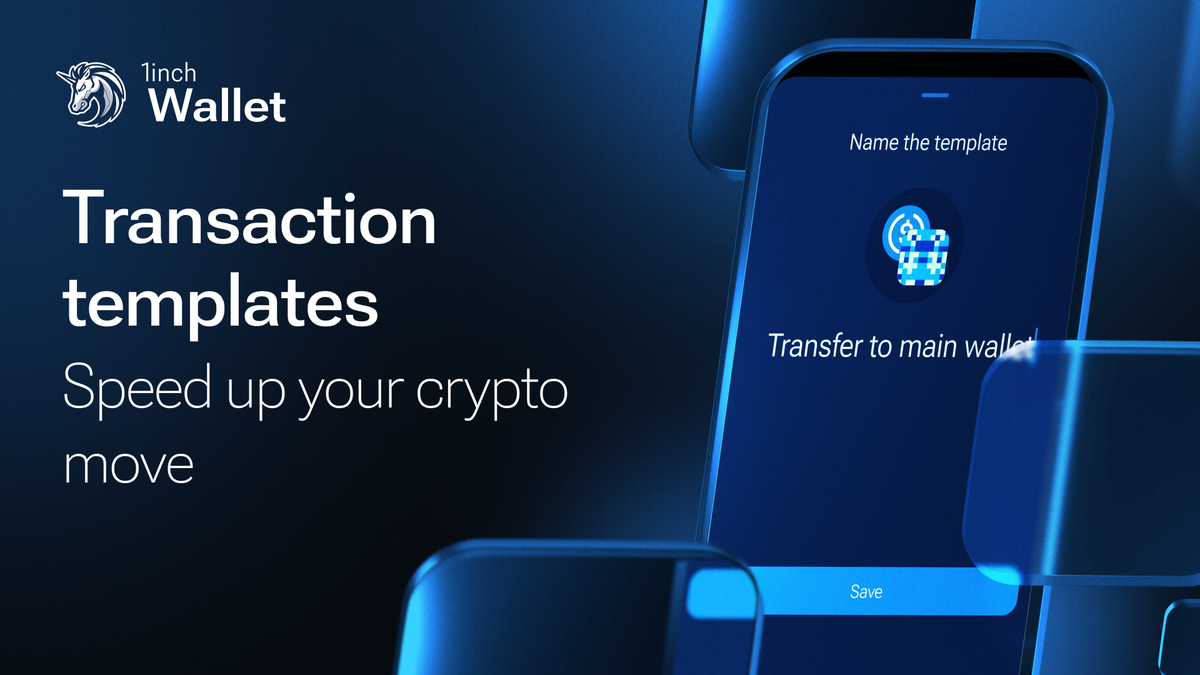
Transaction templates provide a seamless way to execute frequent crypto transactions by eliminating repetitive manual input.
For years, traditional banking has offered transaction templates as a way to make financial interactions seamless and efficient. This simple yet powerful feature has become second nature for those managing recurring payments, eliminating the need to input details repeatedly. 1inch Wallet stands out as one of the few self-custodial wallets to offer transaction templates, finally bringing the same level of convenience to Web3 users.
What are transaction templates?
A transaction template is essentially a saved blueprint for frequently repeated transactions. Instead of entering recipient addresses, amounts and swap details every time, users can set up a template once and use it whenever needed. With just a few taps, you can execute transactions quickly and accurately.
Why use transaction templates?
This feature is a breakthrough for crypto users who make regular transfers, whether it's sending funds to a specific address or swapping. Here’s how it enhances the user experience:
- Time-saving efficiency: Instead of manually filling out details every time, a saved template enables users to submit a transaction in 3 clicks.
- Unmatched convenience: Users no longer need to recall recipient addresses or specific swap details – everything is ready to go.
- Reduced errors and improved security: Manually entering transaction details always carries the risk of mistakes, which can lead to costly errors. Templates keep recipient addresses, amounts and swap details consistent. They also help protect users from clipboard hijacking attacks, where malicious software can replace copied addresses with fraudulent ones, ensuring funds always go to the intended recipient.
- Customization & flexibility: Users can personalize templates with names, rename them as needed or delete outdated ones for a streamlined experience.
How to create a transaction template in your 1inch Wallet
Setting up a transaction template in 1inch Wallet is simple:
- Complete a transaction – After making a Send or Swap transaction, users are prompted with an option to create a template.
- Name your template – Give it a recognizable name for easy identification.

- Save and access – Once saved, the template will immediately appear in the Quick Actions menu at the bottom of the wallet interface.
- Manage with ease – From the Quick Actions menu, templates can be renamed or deleted at any time to keep things organized.
- Easy to use – Just click on a template with the amount, token and address auto-filled – then confirm the transaction.

A small addition, a big convenience
With transaction templates, users can execute frequent transactions with precision and ease, bringing much-needed efficiency to the Web3 space. If you’ve ever wished for a way to simplify your crypto transactions, this is the feature you’ve been waiting for.
Try transaction templates today and stay ahead with your 1inch Wallet!
Share the article


 Copy done!
Recent Posts

How AI agents execute on-chain trades: from intent to execution
AI agents are turning DeFi trading into a one-step process: define your goal and let the system handle the rest. Here’s how they move from intent to on-chain execution.
Major global companies’ interest in stablecoin payouts to give a boost to the segment
Major global companies’ interest in stablecoin payouts to give a boost to the segment

1inch and KuCoin Web3 Wallet partner to power gasless, MEV-protected swaps for RWA assets
KuCoin Web3 Wallet, a decentralized, non-custodial, multichain wallet built for seamless access to on-chain ecosystems, now integrates the 1inch Swap APIs - bringing smooth, efficient swaps directly into the wallet.
